# HideFile pricing: free today, and what that does and does not promise
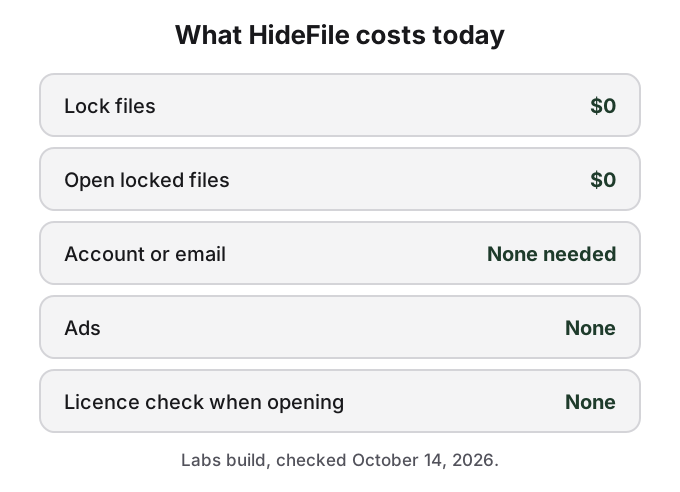
HideFile is free. Locking files, opening them, every cover type (photo, PDF and video) and every feature in the web app cost $0, with no account, no email address and no card. There are no ads. This page says what that covers, what we have said about later, and why your files do not depend on our pricing in the way a vault app's do.
The current price list is short.
## HideFile is free while it is an early-access build
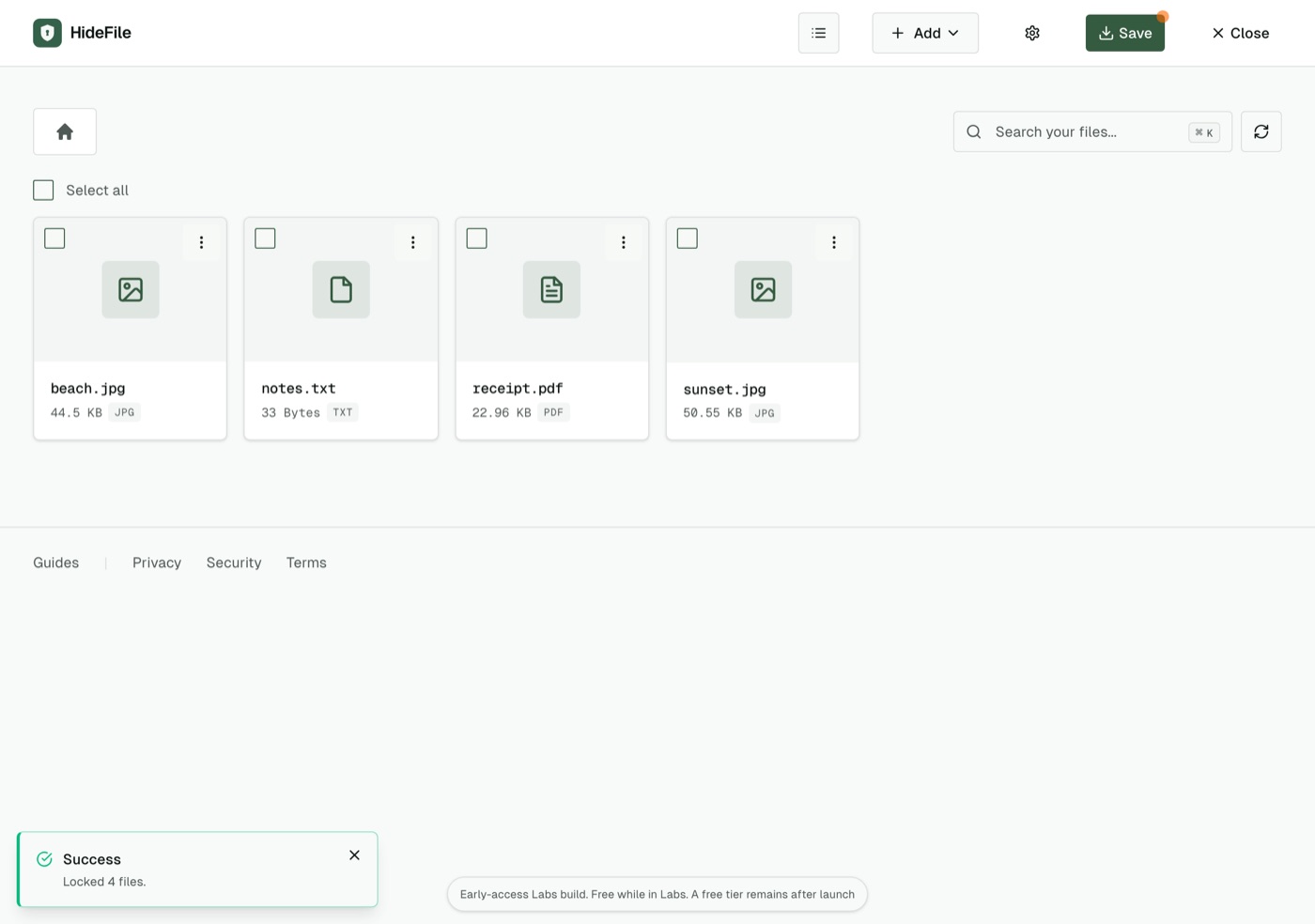
The web app at hidefile.app is an early-access build, which we call Labs. The app says so in a small notice at the bottom of the screen when a locked file is open: "Early-access Labs build. Free while in Labs. A free tier remains after launch."
The notice at the bottom of the app states the current terms.
Nothing is held back in the free build. You can add as many files as your browser can handle, use any of the four cover formats, create folders inside a locked file, export files or a ZIP, and connect your own S3-compatible storage. There is no purchase flow in the web app today; the licensing code is switched off.
## What we have said about later
Two things are on the record. First, the in-app notice says a free tier remains after launch. Second, our [privacy policy](https://hidefile.app/privacy) already describes a future paid tier called HideFile Pro, sold through Paddle as the merchant of record, so that it is clear in advance what a purchase would share: Paddle would hold your payment details, and we would receive only your email address, a transaction ID and the licence status.
We have not set a price, and we have not decided what Pro would include. We will not put a number on this page until there is one. When pricing changes, this page and the in-app notice will change first.
## Your files do not live with us, so they cannot be held back
The complaint that comes up most about photo vault apps is the paywall as hostage: the app keeps your photos in its own storage, then asks for a subscription to get them back out. People also object to ads shown next to private photos, and to paying a monthly fee for files that only ever lived on their own phone.
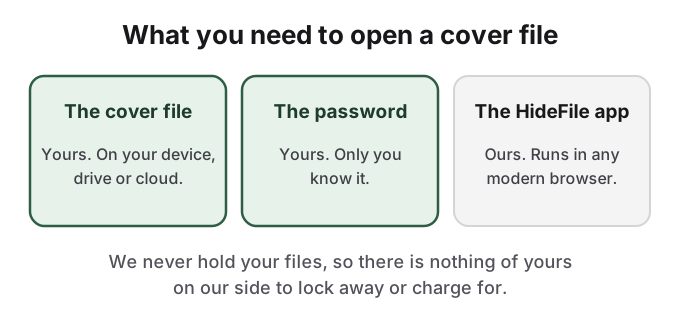
HideFile is built differently, and the difference is structural, not a pricing promise. The locked file is an ordinary photo, PDF or video that you save wherever you like: Files on iPhone, a Downloads folder, a USB drive, Google Drive or iCloud Drive. We never receive it. There is nothing of yours on our servers to lock away, and no account to suspend.
Two of the three things you need are yours alone.
In the current app, opening a locked file runs no licence check. The code does contain limits for a possible future free tier, switched off today, and they apply only to adding files to a locked file, not to opening one. That is how it works now; we are describing the code, not making a promise about every future version.
To be exact about the one dependency: opening a cover file needs the HideFile app, which runs in your browser from hidefile.app. After the app has loaded once, it can work offline from the browser's cache, where the browser supports it. The cover file and the password are yours alone.
## Free does not mean recoverable
A free tool with no account also has no account recovery. If you forget the password, the files inside the cover are gone, and paying would not change that, because we never have the password. If you delete or lose the cover file itself, we have no copy. Keep a backup of the cover file somewhere separate, as a file, and keep the password somewhere safe.
If you have a view on what HideFile should cost, or what a paid tier should never charge for, email support@hidefile.app. For how the encryption works, see [HideFile security](/guides/security). For how HideFile sets against the free tools built into your phone, see [how HideFile compares](/guides/compare).
## Sources
- HideFile: [Privacy Policy](https://hidefile.app/privacy), sections 3.2 and 3.3
- HideFile: [Terms of Service](https://hidefile.app/terms)
- HideFile web app at [hidefile.app](https://hidefile.app), in-app notice checked October 14, 2026